Reviewing Apprentice Assignment Requests
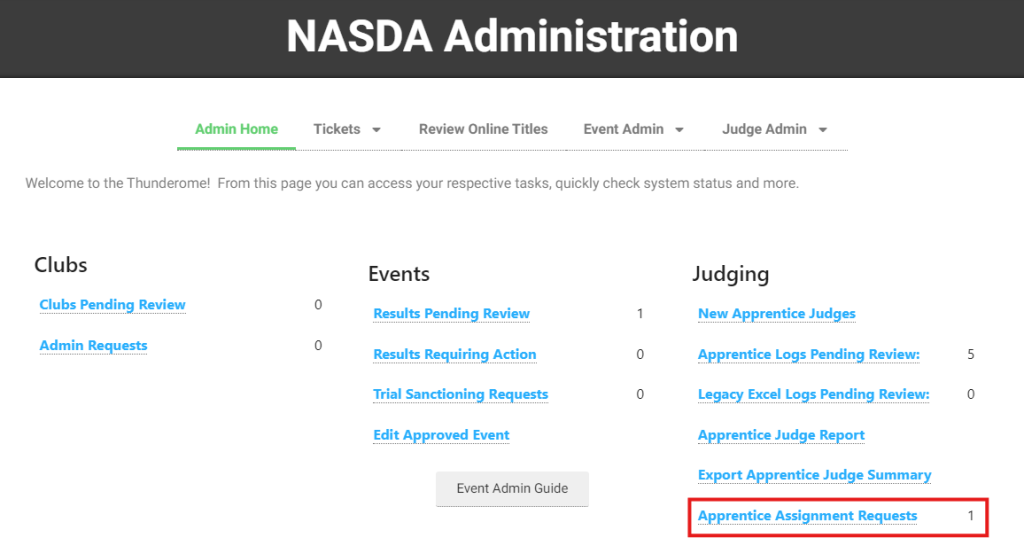
From the NASDA Administration screen, you will see the Apprentice Assignment Requests under Judging. The number to the right signifies the number of requests pending approval. Click on the link to open the requests.
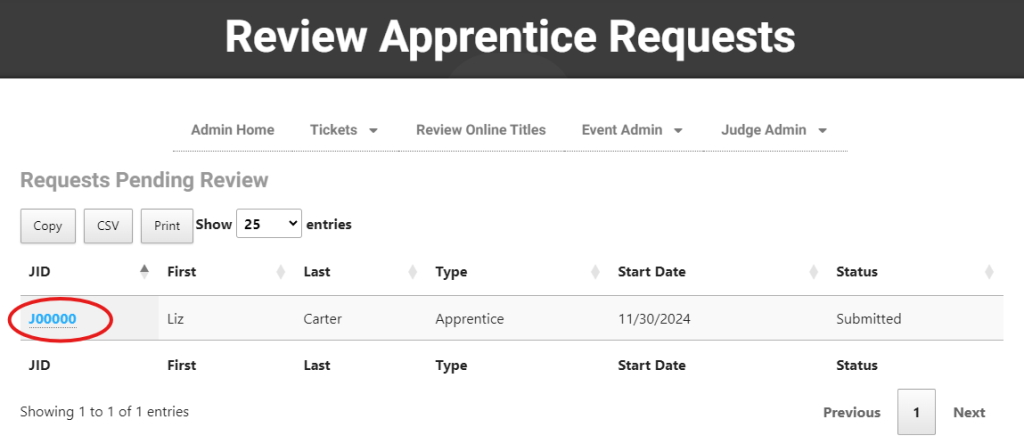
The requests requiring review are displayed first. To review, click the JID (Judge ID):
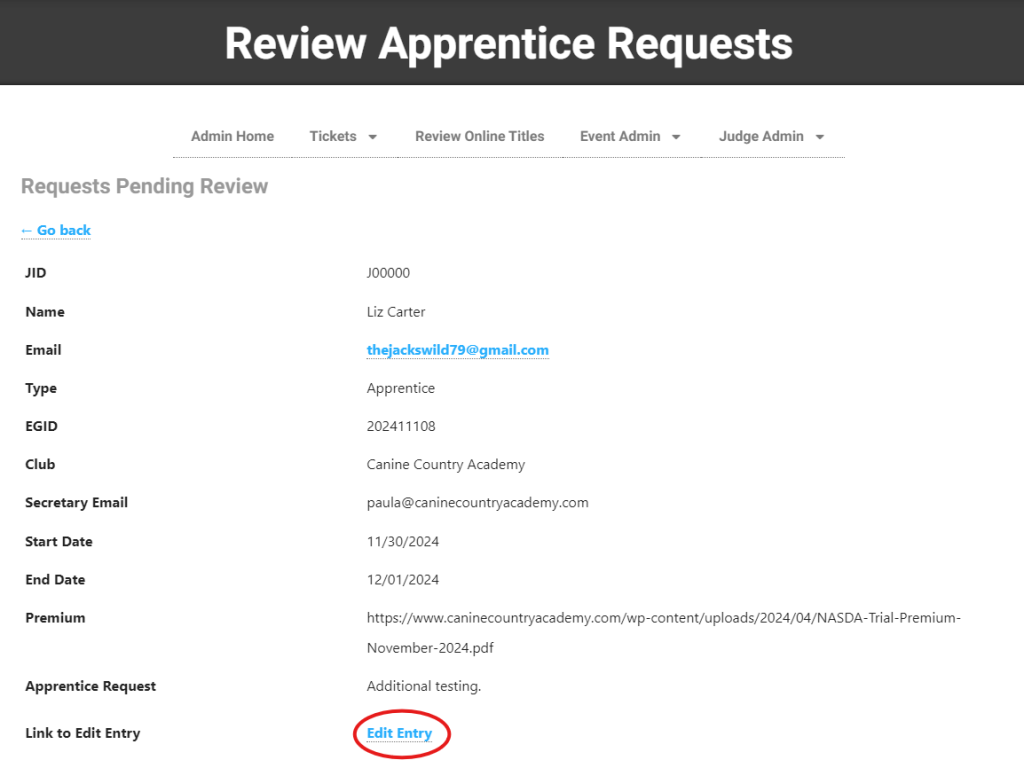
The details of the request will display. To add notes and approve or decline the assignment click “Edit Entry.”
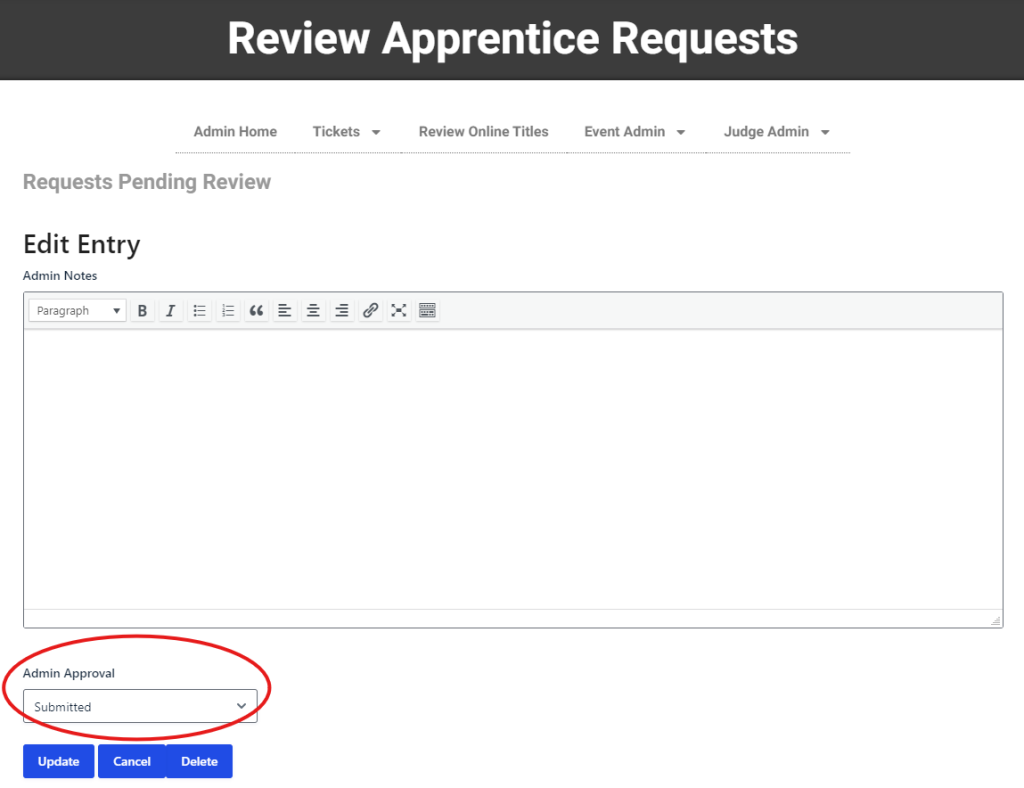
Add notes as needed. These notes are visible to both the apprentice judge and NASDA administration.
Change the status to “Approved” or “Declined”
Click “Update” to apply changes.
The apprentice judge receives a notification of the status change.