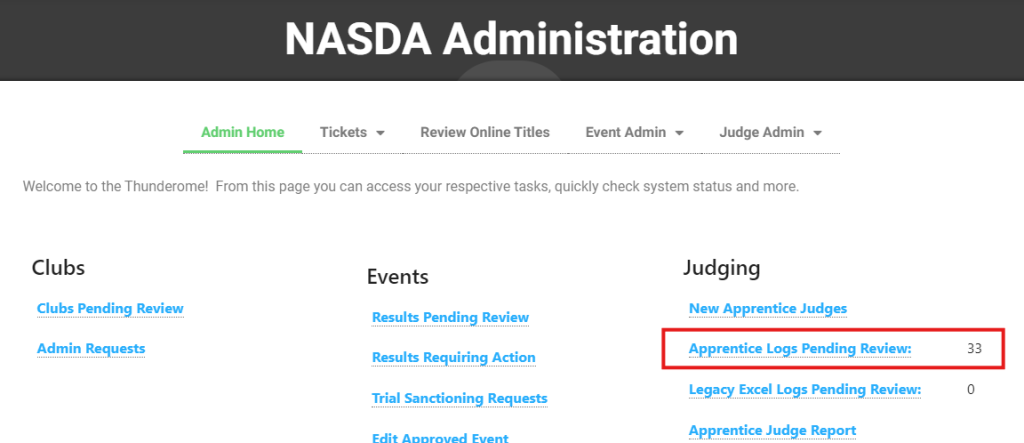
Access Apprentice Logs Requiring Review
From the NASDA Administration screen, you will see the number of apprentice logs pending review to the right. In this example, there are 33 logs requiring review. Logs under review are NOT included in the Apprentice Judge Report.
To review logs, click “Apprentice Logs Pending Review.”
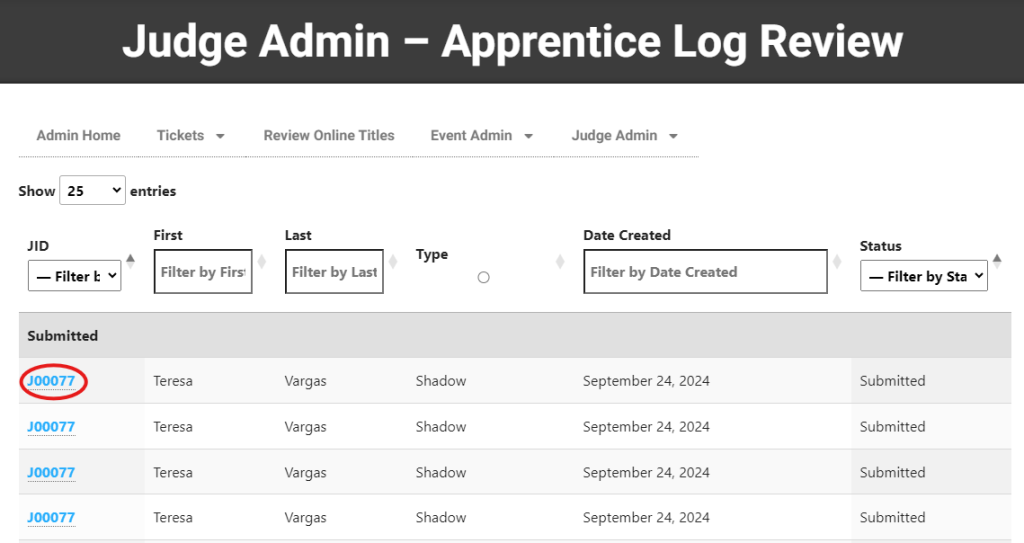
To review an individual log, click the JID (Judge ID). You may filter results as needed.
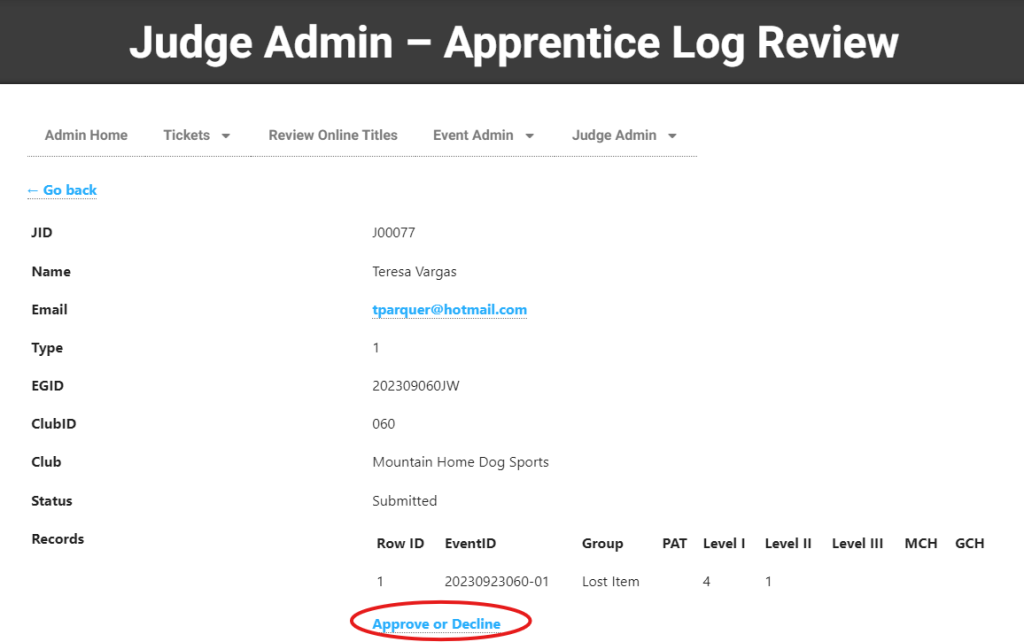
Once you review the entry, you may click “Approve or Decline”
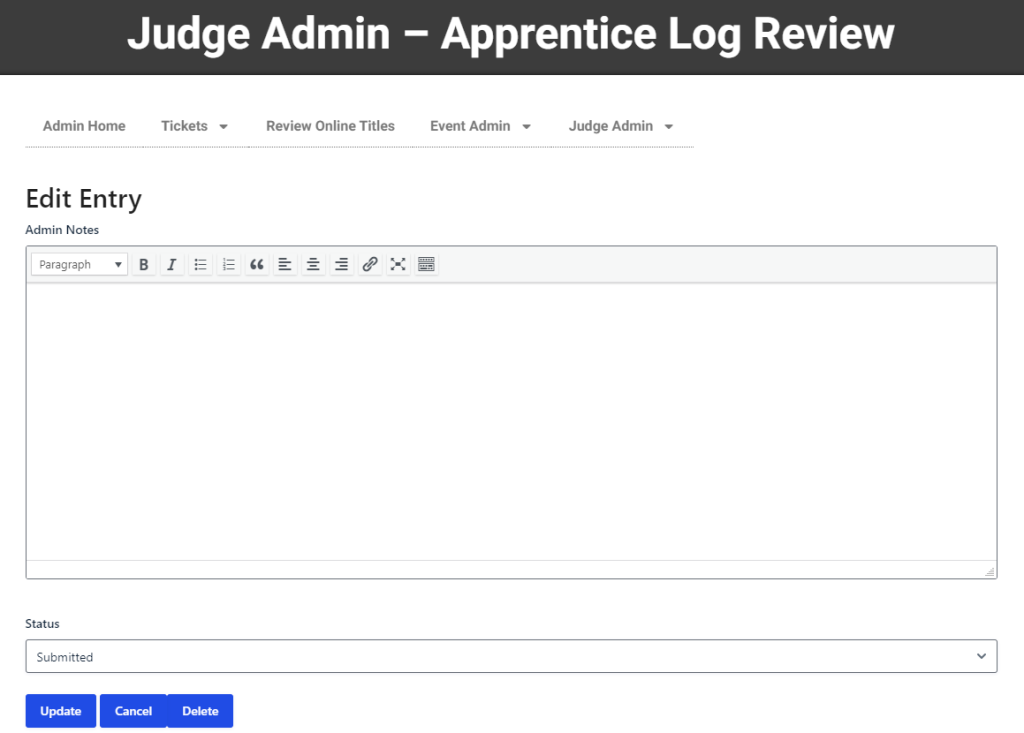
Include any notes required. These notes are visible to the apprentice judge and NASDA Administration.
Update the status to “Approved” or “Declined”
Click “Update”
You will be returned to the report to continue.