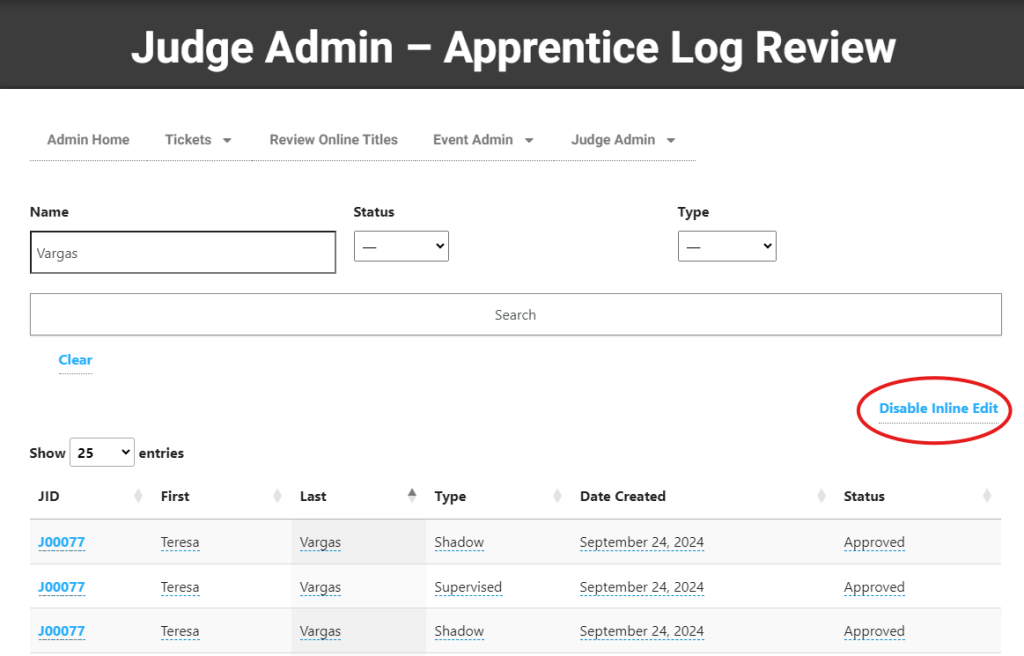
Batch Update Apprentice Logs
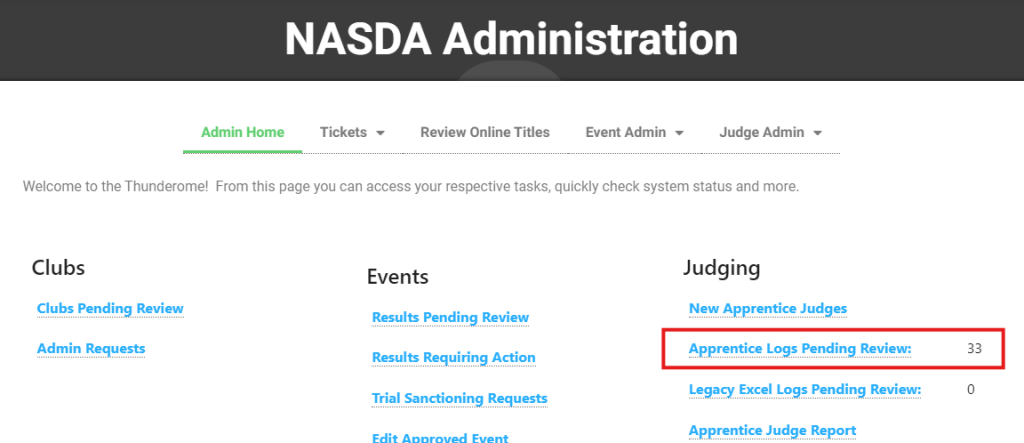
From the NASDA Administration screen, you will see the number of apprentice logs pending review to the right. In this example, there are 33 logs requiring review. Logs under review are NOT included in the Apprentice Judge Report.
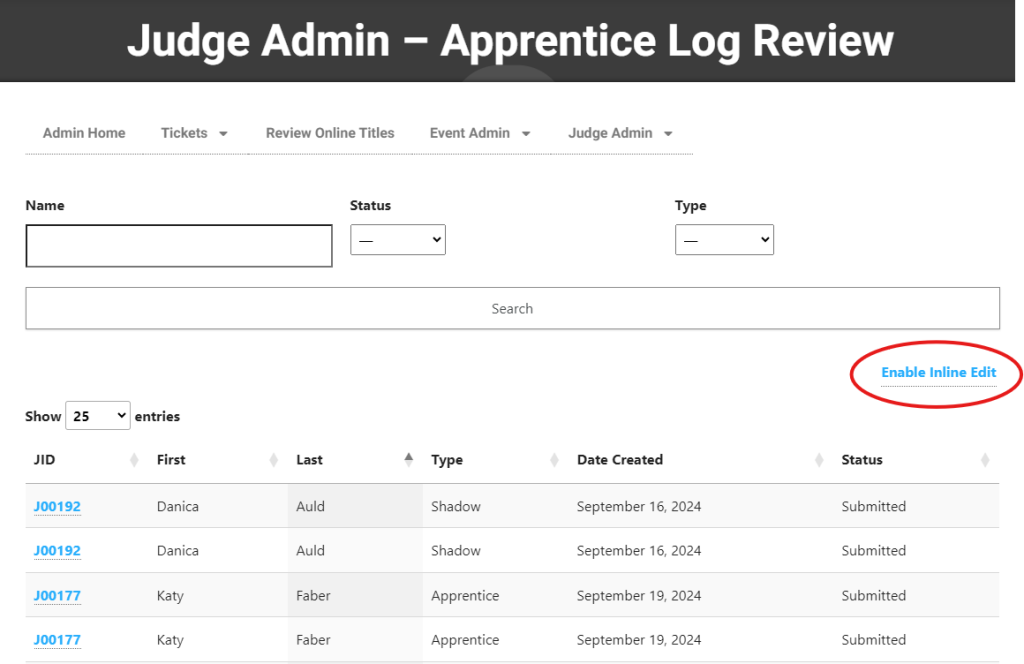
To approve logs that have already been reviewed, click “Enable Inline Edit.”
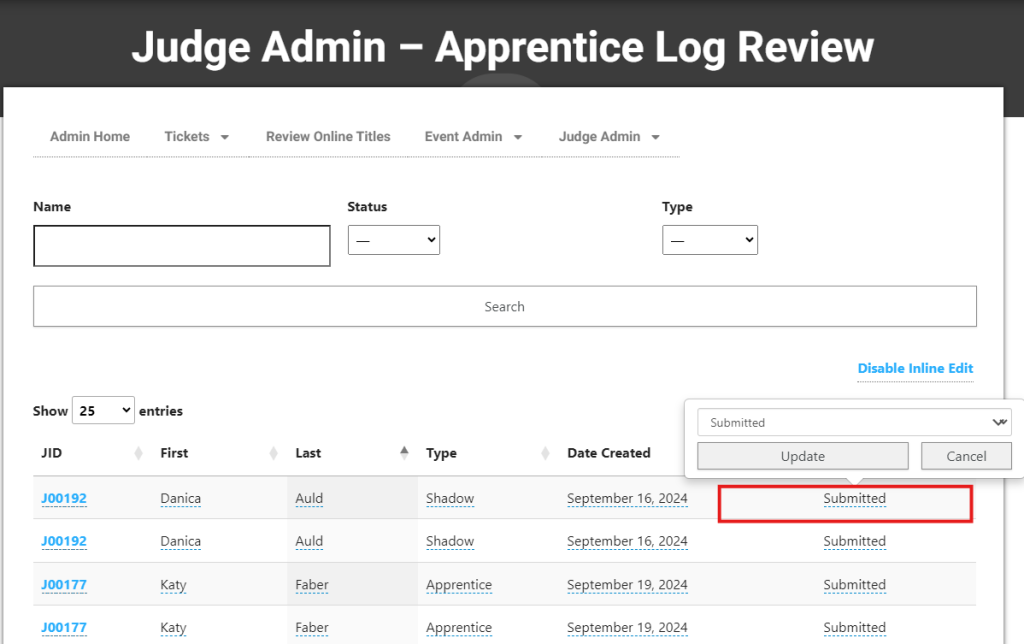
Click “Submitted” next to the record to update.
Change the field to “Approved” or “Declined”
Click “Update”
This record has now been updated.
Continue down the list.
Once the status has been changed to “Approved” or “Declined” it cannot be changed.
To review individual logs normally, click “Disable Inline Edit.”